Bills, stock and udhaar on one calm screen.
بل، اسٹاک اور ادھار، سب ایک جگہ
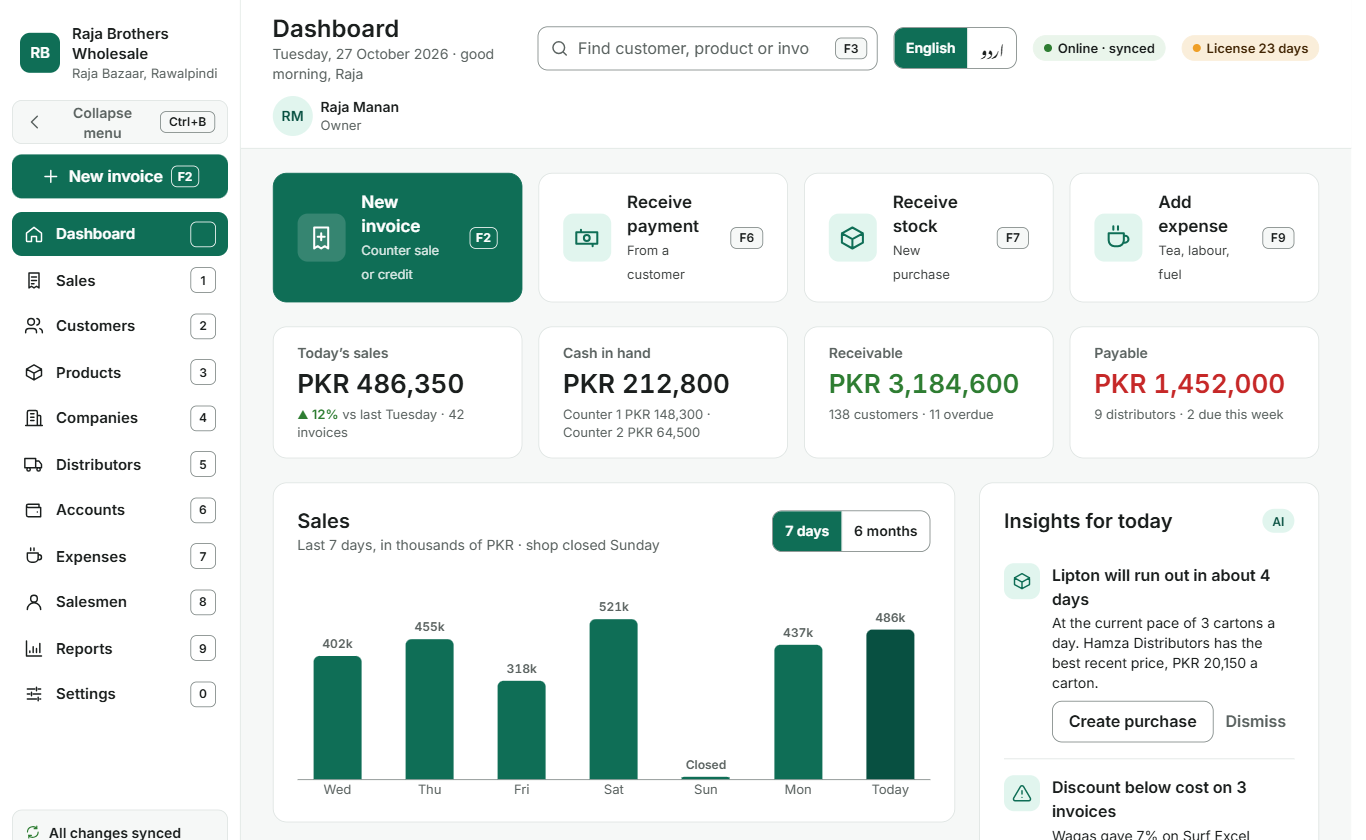
Maalban is shop software for Windows that makes a bill in seconds, warns you before stock runs out or credit goes too far, and works in English and Urdu. It keeps working when the internet doesn’t.
- Works offline
- English and Urdu
- Automatic cloud backup
- Android app for salesmen
Why dealers switch
Registers and memory leak money. Maalban plugs the gaps.
Udhaar that nobody chases
Every customer gets a credit limit. Maalban stops a bill that goes over it, lists who is overdue and shows the full ledger in one click.
Stock that runs out on Saturday
Set an alert level for each product. Maalban tells you what will run out and which distributor has the best recent price.
Discounts that sell below cost
Give the discount you want, but Maalban shows the lowest safe rate before you save, so no carton leaves at a loss by mistake.
Everything in one place
Nine modules, one number key each.
Press 1 to 9 to open any part of the shop. No hunting through menus.
Sales and billing
Counter or credit bills, line and whole-bill discounts, hold a bill, print on thermal or A4.
Customers and credit
Credit limits, overdue days, payment history and a clear ledger for every shop you supply.
Products and stock
Cartons, dozens and tins, barcodes, alert levels and live stock after every bill.
Companies and distributors
Purchases, payables and rates from each distributor, so you always know who is cheapest.
Accounts and ledgers
Cash counters, bank accounts, receivables and payables, always balanced.
Expenses
Tea, labour, fuel and rent, recorded in seconds and counted in your profit.
Salesmen and commissions
Routes, targets, sales by salesman and commissions worked out for you.
Reports and insights
Finance, sales, stock and credit reports in English or Urdu, saved as PDF or Excel.
Fast billing
A bill as fast as your counter moves.
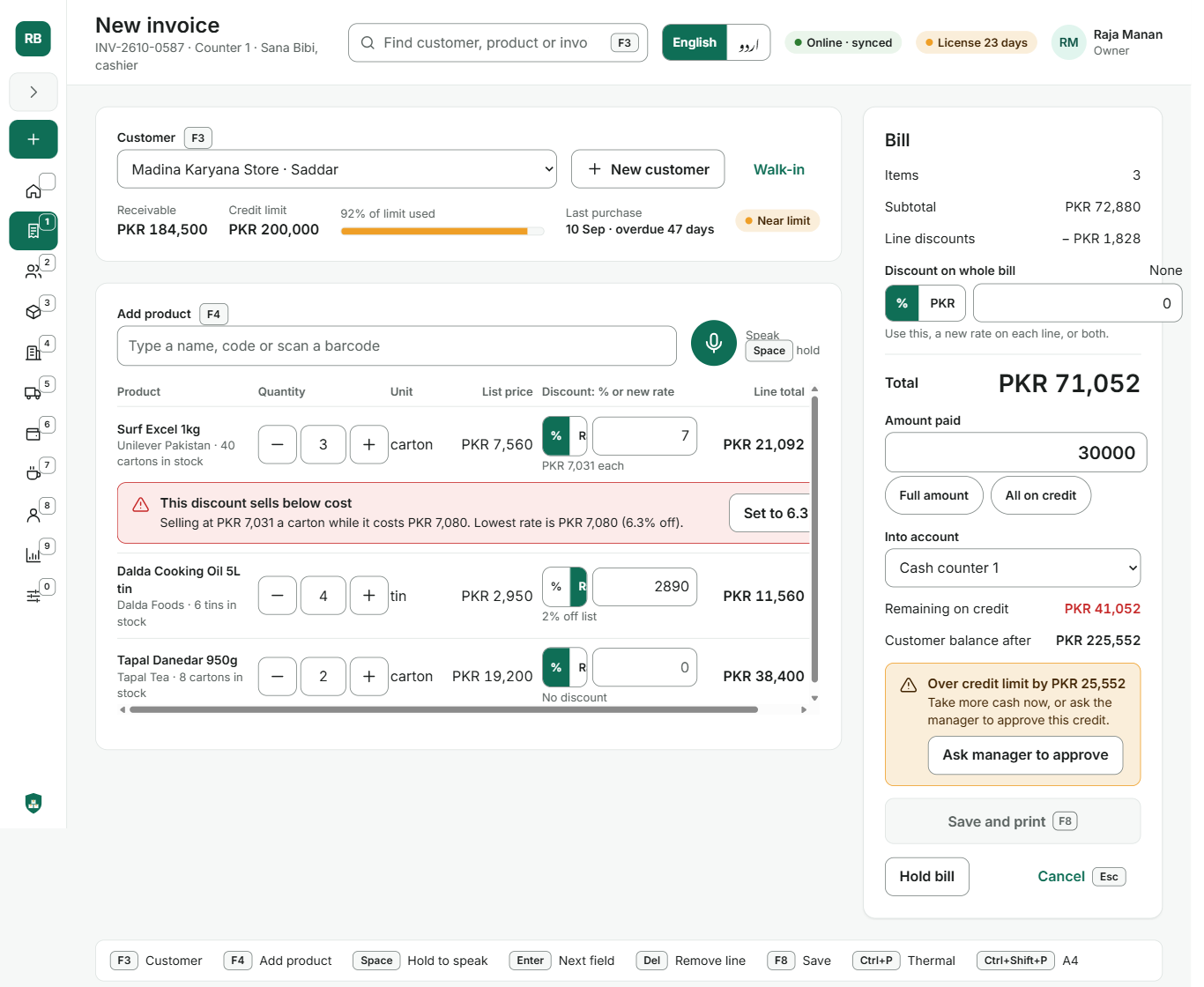
Built for the keyboard, with a shortcut on every button. Your cashier never needs the mouse.
- F2 New bill from anywhere. F3 finds a customer, F4 adds a product, F8 saves and prints.
- Hold Space and say the product. Voice works online; typing and barcode scanning always work.
- Warns before a loss. A discount below cost is flagged with the lowest safe rate.
- Checks credit before you give it. Over the limit? Take more cash or ask the manager to approve.
Insights for today
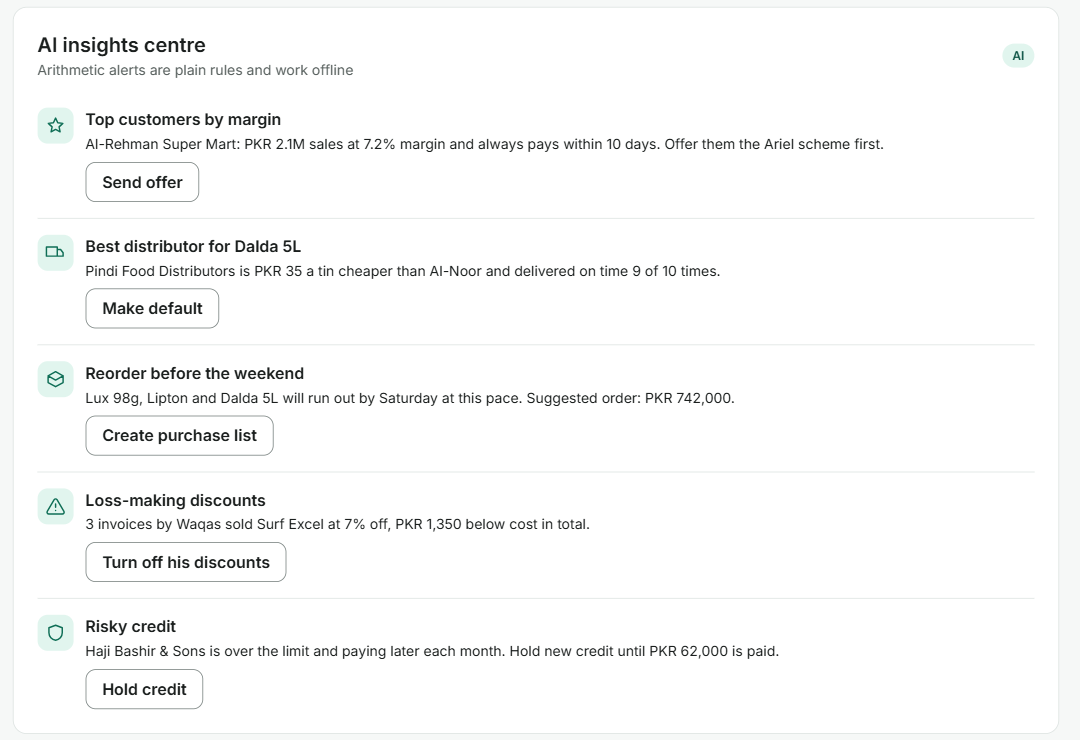
Know what to do before it costs you.
Each morning Maalban reads your sales, stock and credit and turns them into a short list with one button each.
- Which products will run out, and the cheapest distributor to reorder from
- Which salesman is giving loss-making discounts
- Which customers to hold credit for, and which to reward
- Ask in plain words: “Which customers owe more than 50,000?”
Stock, credit and discount alerts are plain arithmetic, so they work offline too.
English and Urdu
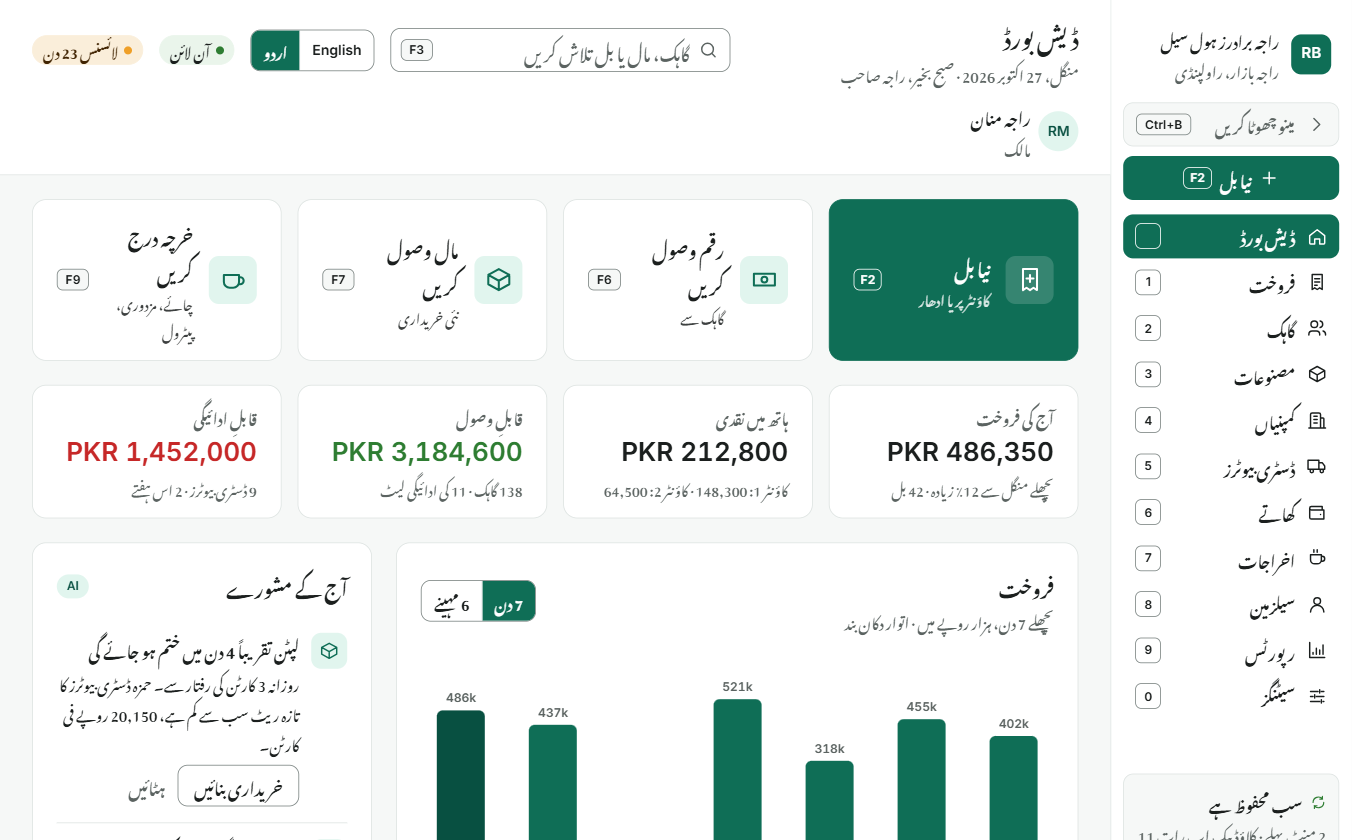
Your whole shop, in your language.
One button switches every screen, bill and report to Urdu, laid out right to left the way it should be read. Your staff can each pick their own.
مکمل اردو میں
نیا بل · رقم وصول کریں · محفوظ کریں
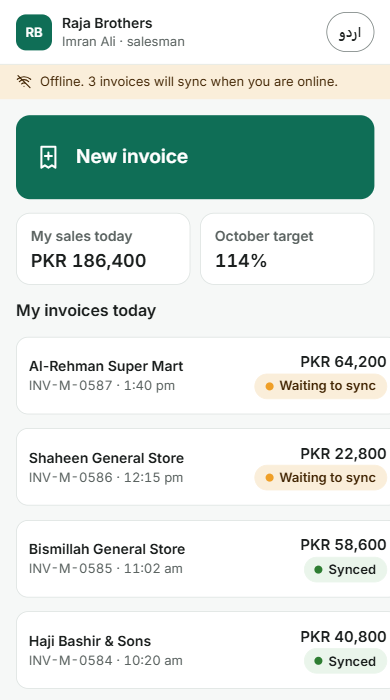
Salesman app for Android
Orders from the road, even with no signal.
Your salesmen book orders at each shop on their phone. Bills wait safely on the phone and reach your counter the moment they are back online.
Same prices and limits
Rates, stock and credit limits come from your shop.
Targets they can see
Today’s sales and the monthly target, on the home screen.
Commission worked out
Every order counts towards their commission automatically.
In Urdu too
The same one-tap language switch as the desktop.
Built for Pakistani shops
Load-shedding and bad internet don’t stop the counter.
Offline first
Maalban runs on your own Windows computer. Billing, stock and ledgers work with no internet at all.
Synced and backed up
When you are online, every change syncs and a cloud backup runs on its own. A broken computer doesn’t mean lost ledgers.
Your shop, your brand
Put your shop’s name, logo and colour on screens and bills. Owners, managers and cashiers each see only what they need.
Getting started
Up and billing in three steps.
-
Book a free demo
We show Maalban with your own products and answer every question, at your shop or on a call.
-
Set up your shop
Install on your counter computer and add your products, customers and opening balances.
-
Press F2 and start
Make your first bill the same day. Add salesmen to the Android app whenever you are ready.
Pricing
One simple monthly licence.
Pay month to month. No big upfront cost, and Maalban reminds you before the licence is due.
Shop licence
Windows desktopPrice on request
- All nine modules
- One shop location
- English and Urdu
- Cloud sync and backup
- Insights and reports
Salesman app
Android add-onPrice on request
- Offline order booking
- Targets and commissions
- Syncs to your shop
Questions dealers ask
Does it work without internet?
Yes. Billing, stock, ledgers and reports all run on your computer. Changes sync and back up to the cloud when you are online again. Voice entry needs internet; typing and barcodes don’t.
Can my staff use it in Urdu?
Yes. Every screen, bill and report is available in Urdu, laid out right to left. Each person can switch with one button.
What happens if my computer breaks?
Your data is backed up to the cloud. Install Maalban on a new computer, sign in, and your products, customers and ledgers come back.
I have more than one shop. Can I use one licence?
Each licence covers one shop location. For a second location, take a second licence. Talk to us about your setup.
What computer and printer do I need?
A Windows computer. Bills print on a thermal receipt printer or any A4 printer, and a barcode scanner is optional.
Can I stop any time?
The licence renews monthly, so you can stop at the end of any month.
See Maalban run your shop.
مفت ڈیمو کے لیے رابطہ کریں
Leave your number and we will call to set up a free demo with your own products.